From the first hello to the next appointment. Bring your schedule, patient records, reports, and billing together, so the people in your care stay at the centre of the day.
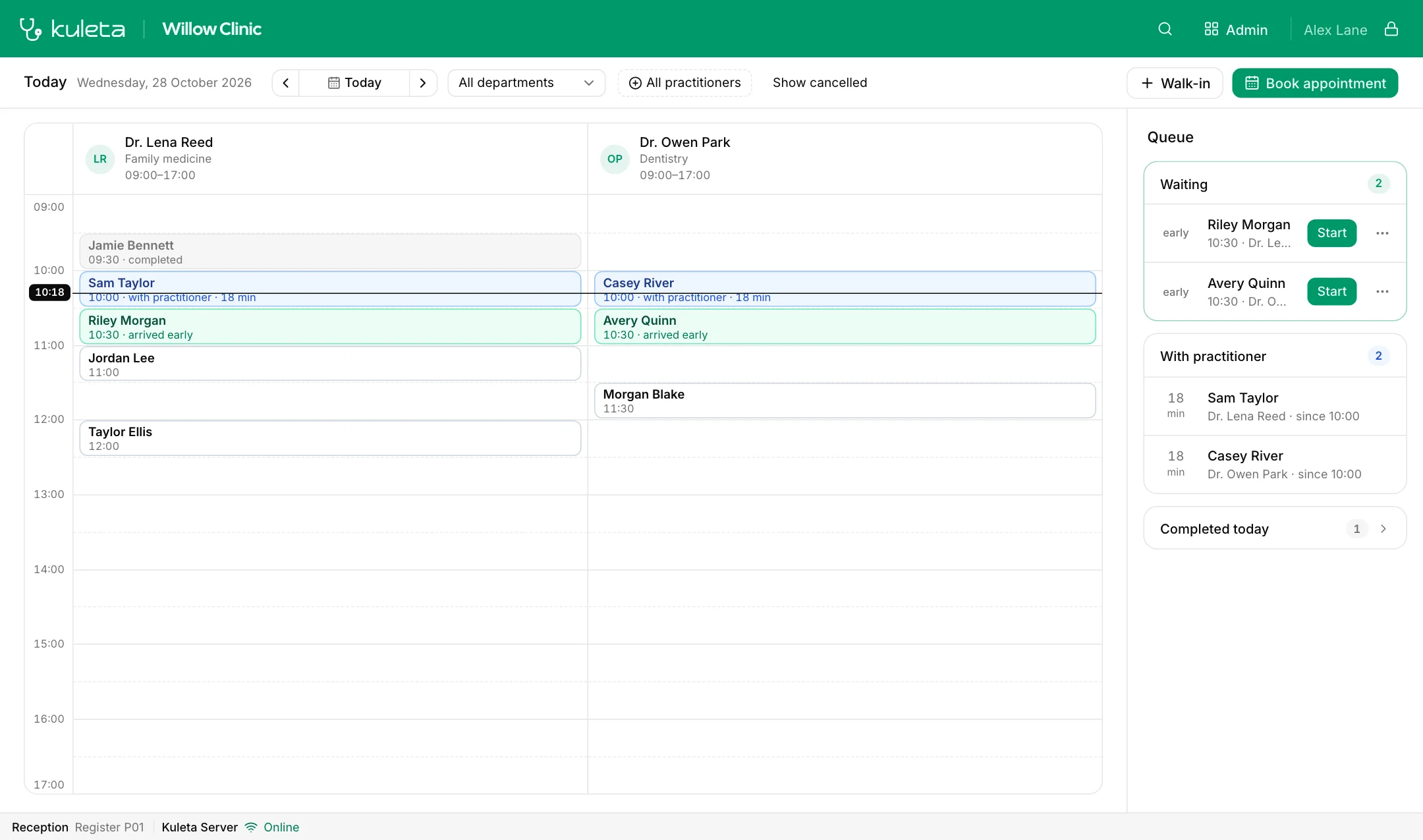
Book an appointment for a patient or a new contact. Choose a practitioner, find an available time, and keep the whole team looking at the same day.
Clinic & practitioner schedules
Appointment lengths that fit the visit
Departments, time off & closures
02 / 05
A warm hello. A clear next step.
Check the patient in and bring them into the queue. Reception can see who is waiting, who is with a practitioner, and where a walk-in fits.
Check-in & a shared waiting queue
Walk-ins alongside appointments
Waiting, in-visit & completed states
03 / 05
The person, with their history.
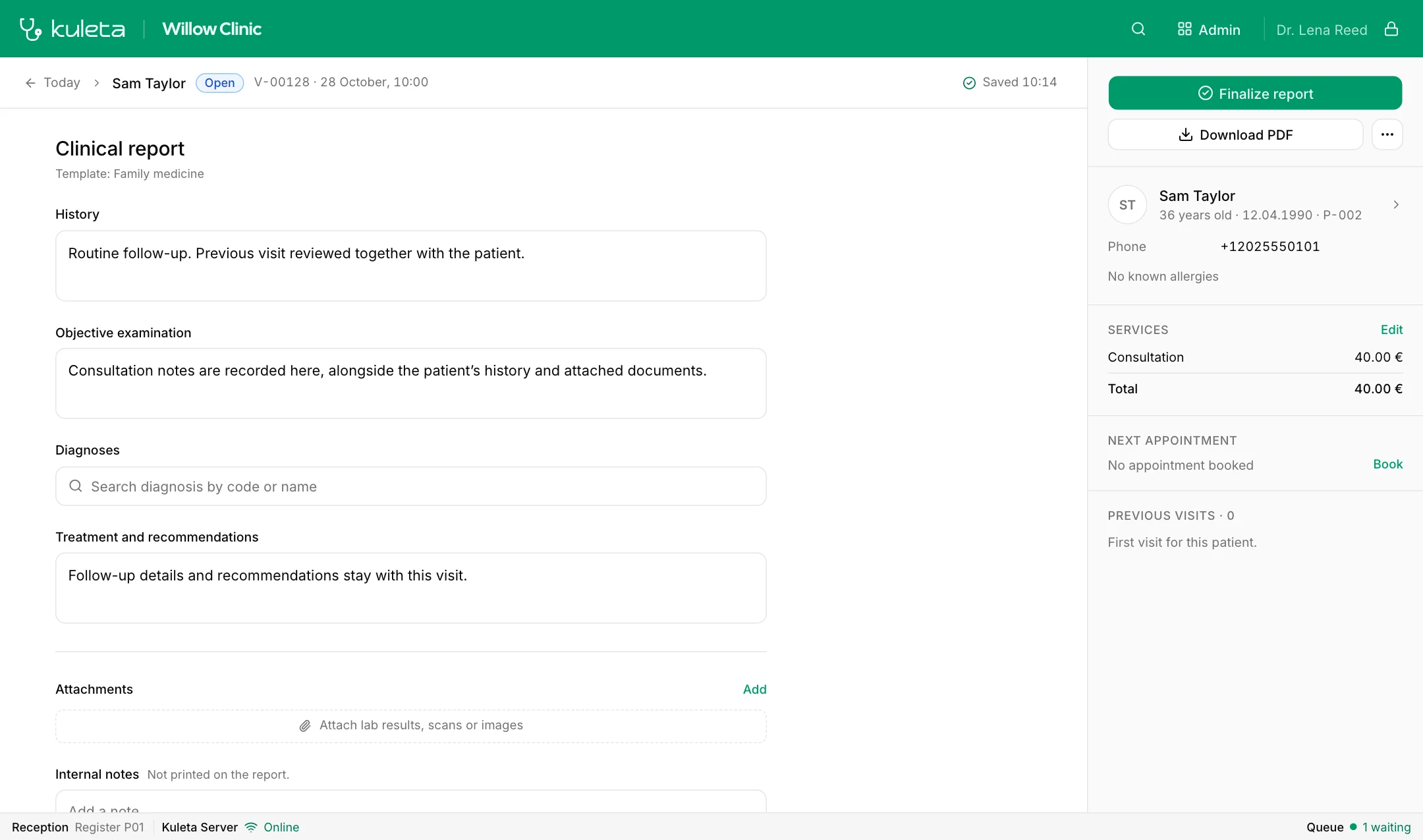
Open the visit with patient details, recorded allergies, and previous visits close by. Write the report, attach documents, and add the services provided.
Patient history & clinical profile
Clinical report & attachments
Services linked to the visit
04 / 05
A report that stays with them.
Finish the report in your clinic’s chosen format, then download a PDF. The visit joins the patient’s history, ready for the next conversation.
ICD-11 diagnoses, notes & structured fields
PDF reports & a visit history
05 / 05
Close the visit. Bill what was done.
Bill the services recorded on the visit, with an invoice, fiscal receipt, or both. Keep the documents linked, and book the next appointment when needed.
Visit services carried into billing
SEF or a supported fiscal printer
Linked invoices & follow-up booking
02 / Patient records
Every visit. One patient record.
Riley MorganOpen V-00128 · 28 October, 10:30
Riley Morgan
RM
Demo data
03 / Built around your practice
Your specialty. Your way of working.
Reports that fit
A useful starting point. Room to make it yours.
Start with a specialty template, then choose your text fields, measurements, dates, and diagnoses coded with WHO ICD-11. Set defaults for the clinic or each department.
Family medicine History, examination & recommendations
Cardiology Measurements, findings & follow-up
Paediatrics A report for the younger patient
Dentistry Dental chart, findings & treatment
Or start with a free-form report. A closer look at dentistry
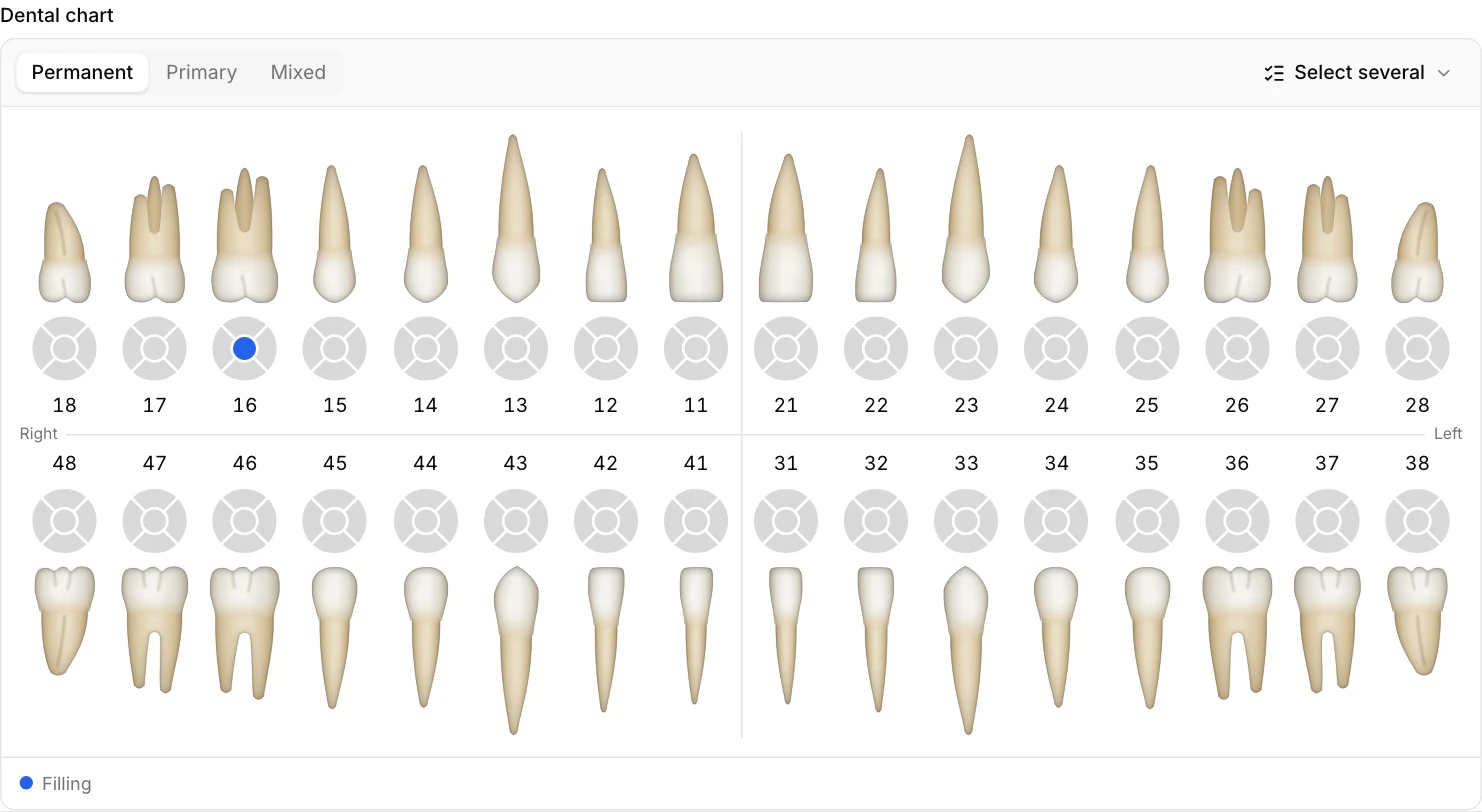
The detail. Tooth by tooth.
Record findings on individual teeth and surfaces, with permanent, primary, and mixed dentition. Carry the chart forward from completed visits.
Demo data
Individual teeth & surface markings
Changes recorded with each visit
04 / Everyone has their place
One team. The right access.
From the front desk to the consulting room, give each person the tools for their part of the day. Set up roles, staff PINs, and paired clinic computers.
01Reception Appointments & arrivals
02Practitioners Visits & clinical reports
03Administrators Team, schedules & setup
Clinical records and billing follow assigned permissions.
05 / The business side
Good care. A stronger business.
Your Clinic workspace connects to Kuleta Business. Bring the services from each visit into billing, and manage the sales, purchases, accounting, and reports behind your practice.
See the day from your phone with the Kuleta Business mobile app
Kuleta Clinic includes the Clinic app for your reception and consulting rooms, plus sales, purchases, accounting, and reports in Kuleta Business. Additional costs may apply depending on your setup.
What hardware do I need?
Computers for the Clinic desktop app at reception and in consulting rooms, and a browser for Kuleta Business. For fiscal receipts, use a compatible fiscal printer you already have, or a thermal receipt printer with Kuleta SEF.
Where is patient data stored?
Kuleta runs on secure cloud infrastructure in the European Union. Data is encrypted in transit, and clinical records and billing are available only to the people whose roles give them access.
Does the Clinic app need an internet connection?
Yes. Clinic uses an online workspace so appointments, visits, and records are shared across your team. Plan for a reliable connection at the clinic. Fiscal receipt availability also depends on the register and fiscalization setup you use.